Overview to action
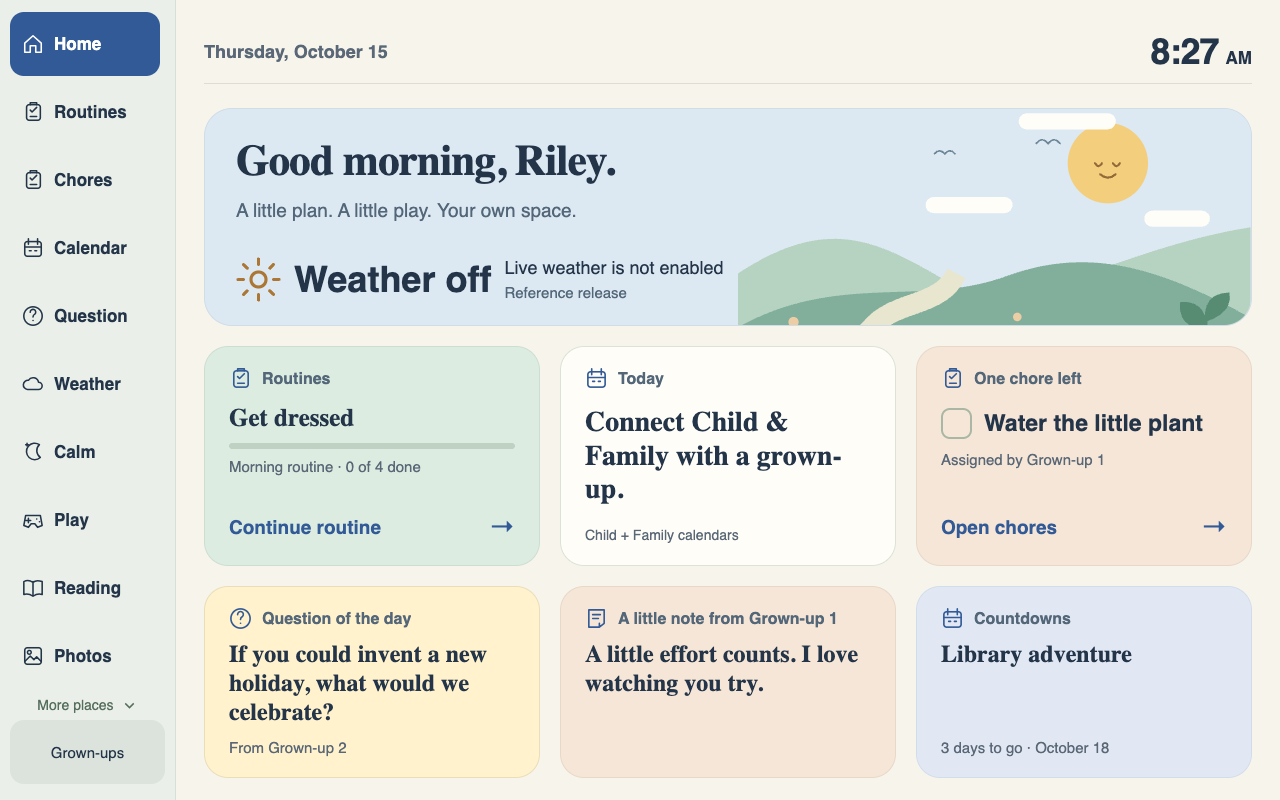
Home shows the next routine step alongside previews for chores, a daily question, notes, and countdowns. Navigation stays in the same place across views.
Self-initiated project - family software
Rowvyn's founder built a dedicated home screen for his own family, with daily routines, small jobs, notes, and things to look forward to. The project shows how a specific everyday need can shape a complete software experience.
The everyday problem
A useful home hub needs to make sense to a child while giving a parent a practical way to keep it current.
The starting point was an Android photo frame and a family's daily needs. Routines, chores, notes, and upcoming plans needed a shared place on a screen that could stay in the home.
The child-facing view needed clear actions and familiar navigation. Parents needed to change the content from a phone, without taking over the frame every time a routine changed.
What the design needed to support
The software
The hub brings the daily overview and small actions together on a dedicated touchscreen.
Home shows the next routine step alongside previews for chores, a daily question, notes, and countdowns. Navigation stays in the same place across views.
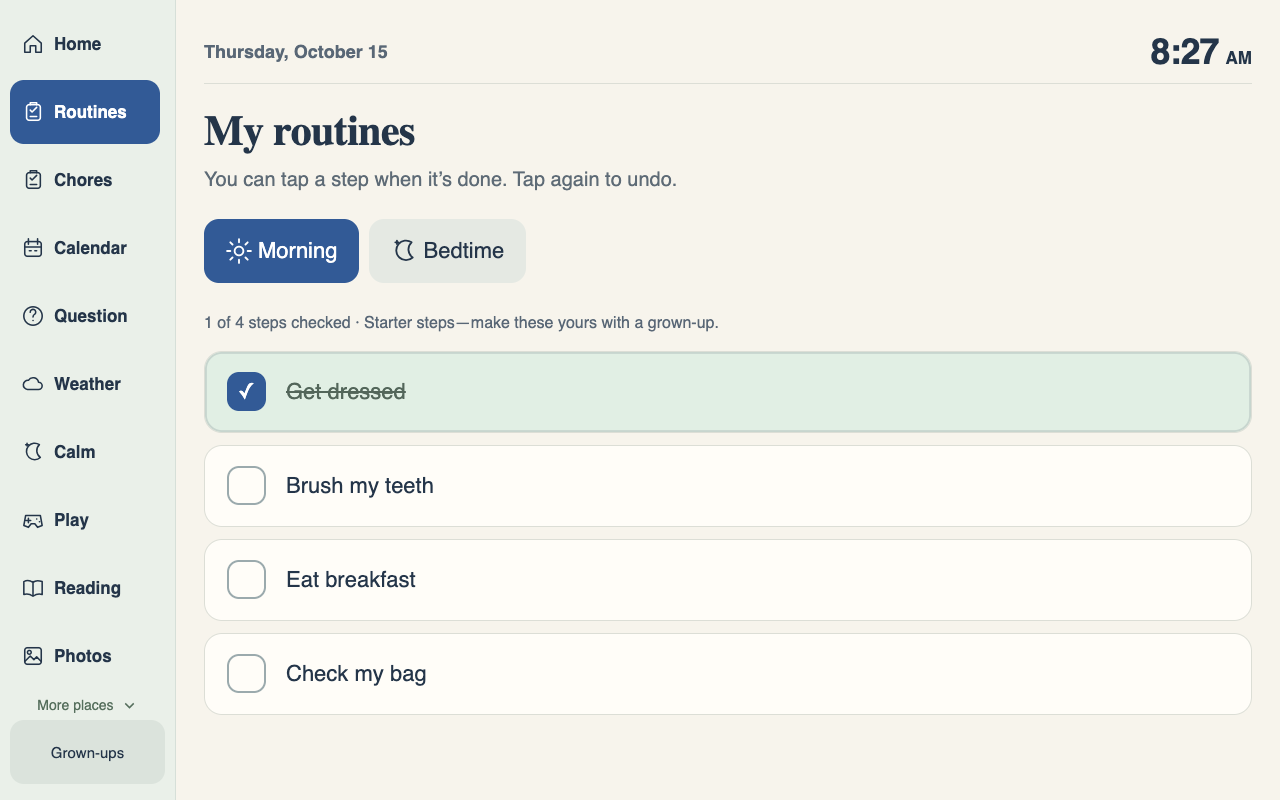
Morning and bedtime steps can be checked off and undone. Progress stays visible so the child can see where they are in the routine.
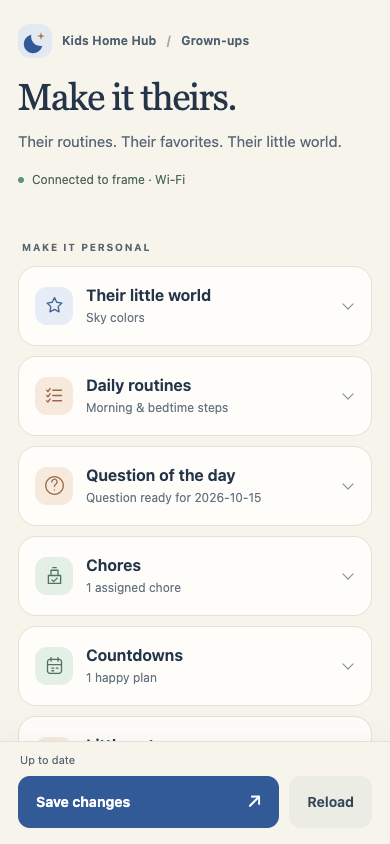
A browser-based editor on the same trusted home Wi-Fi lets parents update routines, chores, notes, and other saved content.
The Android frame runs the hub independently of the setup computer. Core routines and saved content live on the frame.
The interface
Browser previews of the reference app with fictional sample content. The screenshots show the interface prepared for the DIY guide.
The build decisions
The frame and the phone serve different jobs, with an interface designed for each.
The frame gets a calm overview, large controls, and stable navigation. The phone gets the editing tools. That separation keeps routine use focused while making the content manageable for a parent.
The broader lesson applies to business software too: identify who needs to act, what they need to see, and where the work happens. Those decisions shape the interface, data storage, and handoff.
Implementation notes
What shipped
The original custom hub is installed in the founder's home. This is Rowvyn's own project, with no client engagement or measured business outcome attached.
A separate early-access guide and reference app are available on Gumroad for people interested in building their own hub. The downloadable setup has been checked in a software simulation; fresh physical-frame setup, independent beginner completion, and native Windows/Linux USB remain unverified.
The guide includes a free compatibility preview. Hardware support depends on the exact device and firmware, and the working family installation doesn't establish compatibility for a new buyer's frame.
Custom software for your business
Bring the workflow, the people using it, and the tools already in place. We'll help you work out what a useful custom tool should do.
[email protected]